Construction Defect Management Software
Capture the issue, assign the trade, collect the rectification photo, review the fix and close the item — with a full history behind it.
Evidence-first defect tracking built for Australian construction teams. Every item. Every photo. Every trade. One clean handover report.
Download Free Defect Closeout Checklist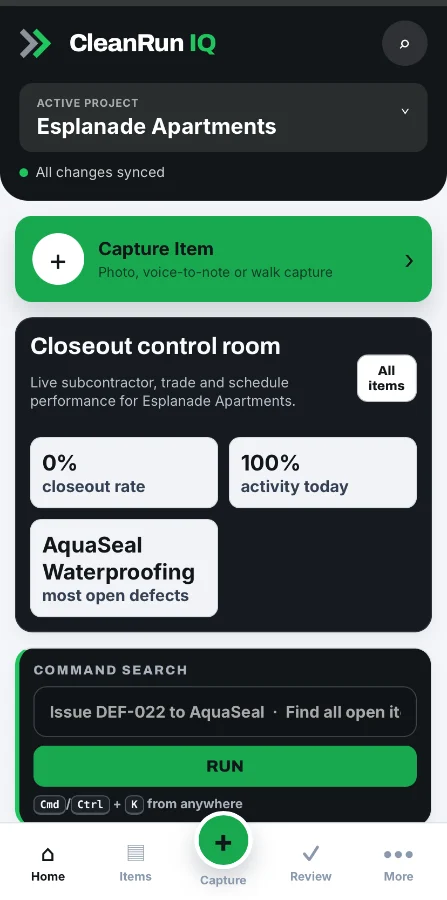
Defects don't fail handovers.
Defect management does.
Most builders track defects. Few can prove they were fixed — with photo evidence, a named person and a timestamp.
Spreadsheets with no accountability
Rows of defects with no photos, no assignments and no way to prove what was actually fixed.
Trades that go quiet
Defect assignment via text message with no follow-up system. Trades say it’s done. You have no proof.
Last-minute handover panic
Compiling evidence the night before PC. Chasing trades for photos they never took. Reports that aren’t defensible.
One system. Every defect.
Full evidence chain.
Photo-first capture, always
A defect cannot be logged without a photo. Required at capture, rectification and closeout — enforced by the system.
Trade assignment with due dates
Every defect is issued to a named trade and subcontractor. Due dates are tracked. Overdue items are visible to everyone.
Evidence review and approval
The site manager reviews rectification evidence, approves or rejects, and controls closeout. No self-certification allowed.
Full audit trail, locked per item
Every action — creation, assignment, rectification, approval, closeout — is logged with name, date and time.
Five steps to a clean handover.
Consistent. Repeatable. Defensible. The same process on every project.
Photo + type + location + trade. All required. No shortcuts.
Issued to trade + sub + due date. Clear accountability.
The trade fixes it and uploads photo evidence from site.
Site manager approves or rejects evidence. Full control.
Evidence chain locked. Handover report generated instantly.
Built for every role on site.
One platform. Different views. Every role gets exactly what they need.
Site Managers
Capture on mobile. Assign instantly. Review evidence without chasing. Close with proof.
See workflowProject Managers
Full visibility across all projects. Track closeout velocity. Know what’s open before the client asks.
See workflowQuality Managers
Enforce evidence standards. Control what passes inspection. Export compliance-ready reports.
See workflowSubcontractors
See exactly what’s assigned. Upload evidence from any phone. No app download, no training.
See workflowCommon questions about defect management.
CleanRun IQ tracks three item types: Defects (work completed below standard), Incomplete Works (work not yet started or finished) and Client Defects (items raised by the client post-handover). Each follows the same photo evidence workflow.
Every item requires a capture photo when logged. Rectification requires the subcontractor to upload at least one photo before the item moves to Review. Closeout requires site manager approval. The chain is enforced by the system and cannot be bypassed.
Yes. Subcontractors access their assigned items through a browser link — no download, no account setup. They see only the items assigned to them and upload rectification photos from any phone or tablet.
From the project defect register, select the items to include and click Generate Report. CleanRun IQ produces a structured PDF with all defect details, evidence photos and closeout status in seconds.
Yes. CleanRun IQ scales from small residential builds to large commercial and apartment projects. The workflow is consistent regardless of project size, making it easy to manage your whole portfolio the same way.
Ready to close defects with proof?
Book a 30-minute CleanRun IQ walkthrough. See photo capture, subcontractor closeout and handover report generation on a live project.
No credit card. No hard sell. Just a practical walkthrough.