Close out defects with evidence, not spreadsheets.
CleanRun IQ gives construction teams one place to capture defects on site, assign the right trade, collect rectification photos and produce a handover-ready report — from one live register.
Built for the final stretch of a project, when defects move fast, trades come and go, and everyone needs a clear record of what has actually been fixed.
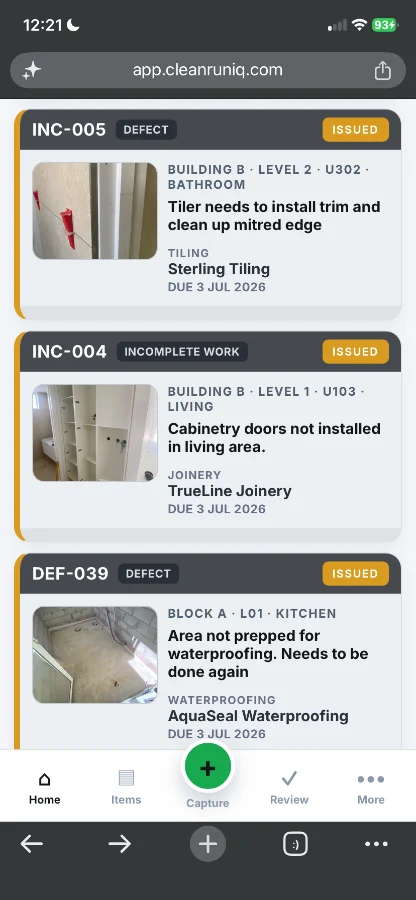
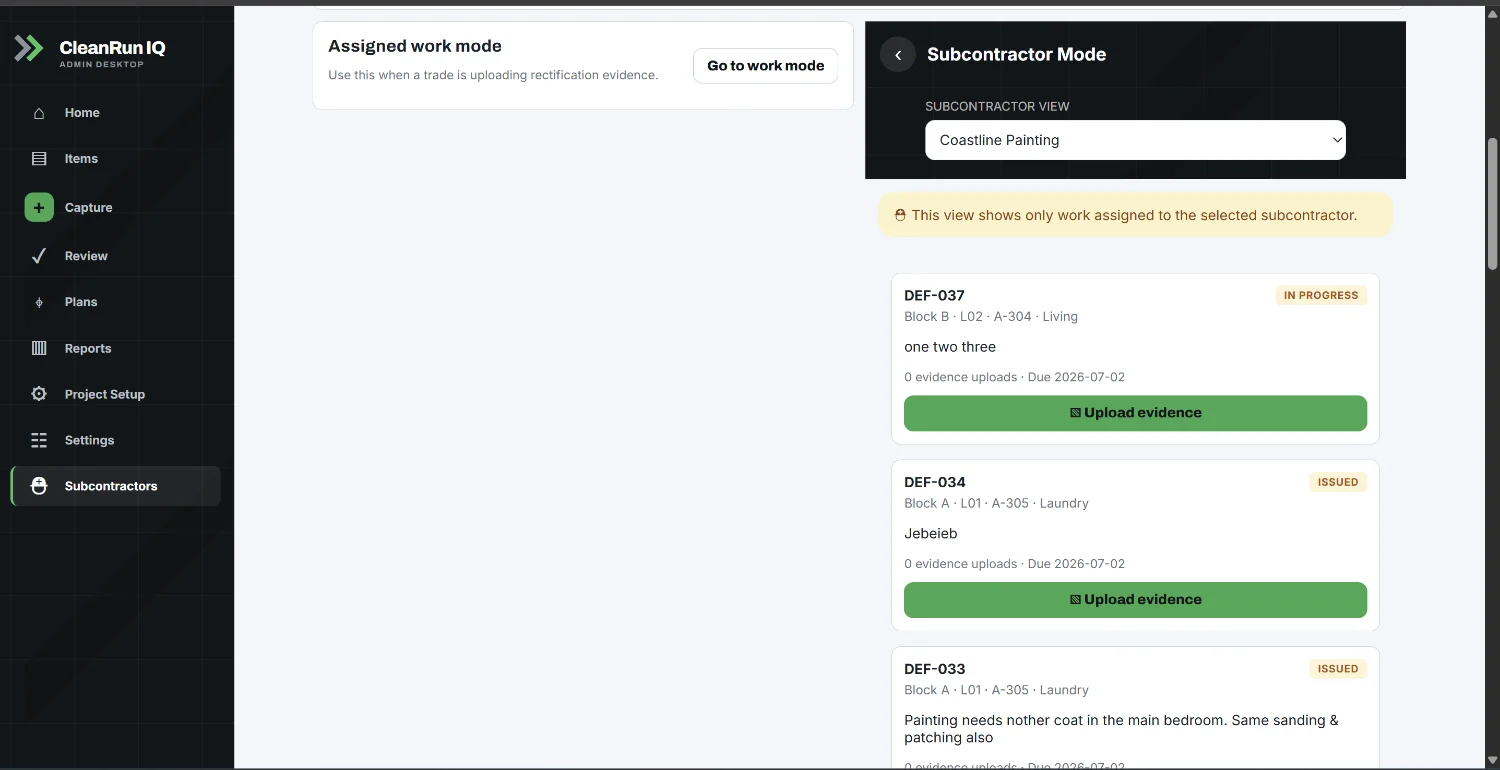
Your defect information is scattered before the job is even ready to hand over.
Spreadsheets track the list. Text threads carry the follow-up. Photos sit in someone's camera roll. Emails hold the decisions. Then someone has to pull the final report together by hand — and prove what was raised, who was told and what got fixed.
In a spreadsheet
A spreadsheet can tell you a defect exists. It usually can’t prove where it was, who fixed it, or whether it was actually closed.
In someone’s messages
A defect raised over text has no due date, no trade owner and no clear status. By next week, nobody can find it.
In a camera roll
A photo with no location, trade or status attached doesn’t tell you which defect it is — or whether it has been rectified.
CleanRun IQ puts the item, photo, trade, status and closeout evidence in one place — so the register is the single source of truth, not five.
The workflow your site team can actually follow.
Capture the defect on site
Photo, project, building, level, unit, room, trade and type — logged on a phone as you walk.
Assign it to the right trade
Issue the item to the responsible subcontractor with a due date and a clear description.
Subcontractor uploads rectification
The trade does the work and uploads a rectification photo against the item.
Review the work
Site manager checks the evidence and either sends it back or marks it ready to close.
Close with a timestamped record
The item closes with the original photo, rectification photo and approval attached.
Export the handover report
Produce a handover pack with every item and its evidence when you need it.
Talk it in. CleanRun IQ writes the defect.
Say what you see on the walk. CleanRun IQ turns plain speech into a structured item — title, location, trade and priority — and snaps the photo at the same time.
No photo, no closeout.
CleanRun IQ is built around a simple rule: if a defect is closed, the evidence should be sitting right there with it.
Original issue photo
The defect is captured on site with a photo, location and trade attached.
Assigned to the trade
The item is issued to the responsible subcontractor with a due date.
Rectification photo uploaded
The subcontractor uploads proof of the completed work against the item.
Reviewed and closed
The site manager reviews the evidence and closes it with a timestamped record.
Built around real defect closeout.
Not another generic task board. CleanRun IQ is structured around the way defects actually move through a construction project — by location, trade, status and the evidence behind each one.

Paint blistering to corridor wall

Cracked plasterboard to entry

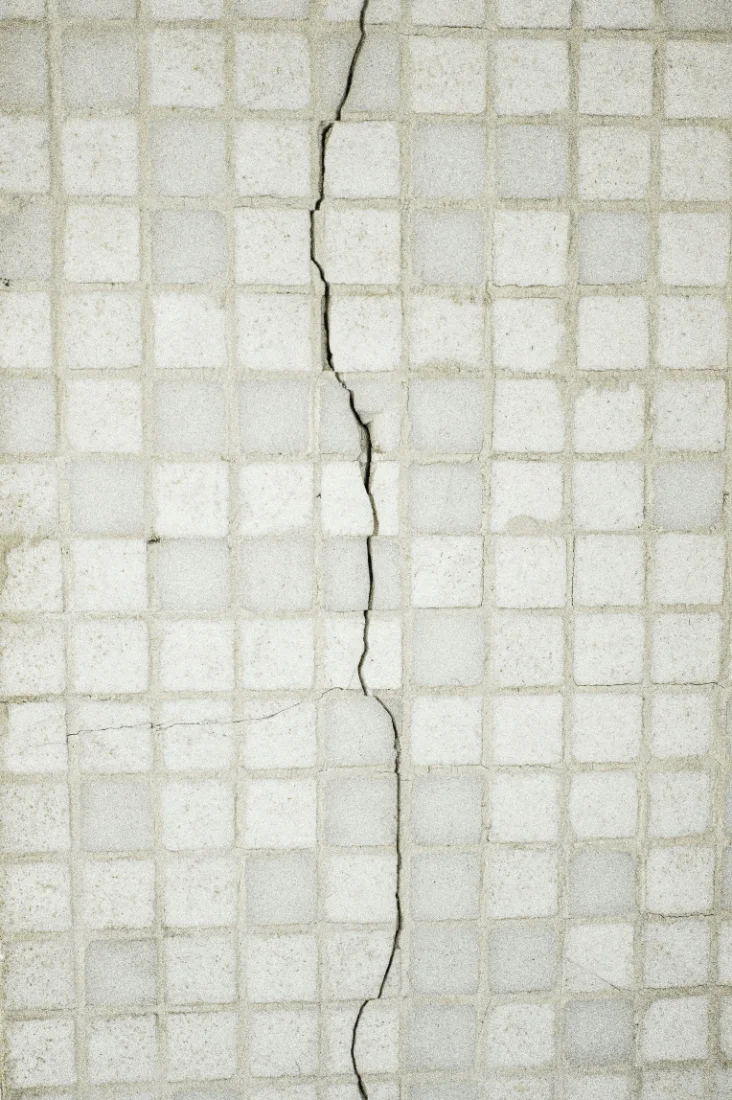
Cracked tile to ensuite floor
Incomplete silicone to bath hob
When a defect is closed, four questions should be easy to answer.
That's what the register is built around.
The defect workflow stripped back to what site teams actually use.
Enough structure to hold up at PC and DLP. Not so much that nobody on site bothers with it.
Photo-backed items
Capture, rectification and closeout photos sit on the item. The closeout photo is required before it shuts.
Trade responsibility
Every item is issued to a named trade and subcontractor with a due date. Overdue items are easy to spot.
One defect register
Open, issued, review and closed items in one place. Filter by trade, location or status.
Handover pack
Produce a defect report with the full evidence on each item — ready for PC and useful at DLP.
Item history
Who raised it, who it went to, who rectified it and who closed it — each step dated.
Works on a phone
Built for the defect walk. Phone, tablet or desktop, in the browser — no app to install for trades.
One defect register that PMs, site teams and trades can all work from.
Site managers
Capture on the walk, assign the trade and check rectification without working through messages.
View workflowProject managers
See what’s open across the job and hold a record you can rely on at PC and DLP.
View workflowQuality managers
Set the standard for evidence and keep closeout consistent across every unit.
View workflowSubcontractors
See what’s assigned, upload a rectification photo and send it back — from any phone.
View workflowWhat is defect admin costing the team?
A rough estimate of the time spent logging and chasing closeout each year.
Shaped with the people who do the defect walk.
CleanRun IQ is being built with direct input from commercial construction teams who deal with defects, subcontractor sign-off, PC pressure and handover reporting every week.
The aim is simple: give site teams a fast way to capture and close items, and give project managers a record they can stand behind later.
Practical resources you can use today.
All resources →Defect closeout checklist
The field steps for closing defects properly — from the defect walk to the handover pack.
Download the checklistPunch list template
A practical punch list to run a final defect run, with guidance on moving it into a live register.
Get the templateDefect management guide
How to capture, assign, evidence and close defects across residential, townhouse and commercial jobs.
Read the guideWant to see how it would work on a real project?
Book a short walkthrough and we'll show you the capture, trade response, review and report workflow using realistic construction data — not a polished sales deck.
No credit card. No hard sell. Just a practical walkthrough.